Service phase: Beta

This is a new service. Help us improve it and give your feedback (opens in new tab).

Talk

Using Discovery

Expert guidance on making the most of The National Archives' online catalogue.

Date
10 January 2026
Location
Online

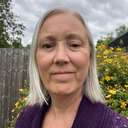
Learn essential techniques for using Discovery, our online catalogue. The database holds more than 37 million descriptions of records dating back hundreds of years. Join collections specialist, Sarah Castagnetti who will provide you with the tools you need to make the most of the catalogue, whether you are a new user or an experienced researcher.

This webinar will comprise a pre-recorded film followed by a live Q&A, so come prepared with your questions.

Event details

Date
10 January 2026, 10:30 to 11:30
Price
Free
Location
Online, Live-streamed on Vimeo
Part of series
Getting started with family history

Dates for this event

10 January 2026

  • 10:30 to 11:30

Get priority booking

Subscribe to our weekly newsletter for exhibition updates and early booking for events, including talks and tours.

How to join online

What you need to join

This event will be live streamed on the website of our streaming service, Vimeo.

When you book, you will receive an email that includes the link you need to join the event. This link will also be shared with you in a reminder email in advance of the event.

  • Vimeo provide guidance on How to watch a live event.
  • You do not need a Vimeo account to join. If you do sign up for a Vimeo account, please be aware you may be asked to verify your age. You can find out more here: About age verification in the UK and EU
  • You can join from your browser from a laptop or mobile device.
  • For the best experience we recommend using either a laptop or desktop computer.

Help during the event

To access the live event, click on the link in the Eventbrite confirmation email you received when you booked the event. Vimeo will open in your web browser.

  • If the live event hasn’t started at the advertised start time, please refresh your browser window and click the play button on the event again. If that doesn’t work, try closing the browser window and clicking the link in your confirmation email again.
  • You can enable live subtitles by clicking on the ‘CC’ button at the bottom of the video player. ‘CC’ stands for ‘Closed Captions’.
  • When you join the event, you may have to click on the sound icon at the bottom of the video to unmute the sound. If there is still no sound, please make sure that you have got your speakers turned up to full volume.
  • If you have a query that has not been answered above, please email us at whatson@nationalarchives.gov.uk

Watch after the event

This talk will be available to watch after the event, using the same link you will receive to join it live. It will remain available for a limited period of 48 hours after the event has finished, unless otherwise stated.
Speakers