|
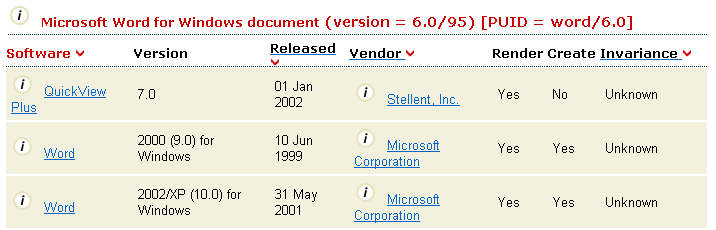
This report displays file formats which use a given extension.
The report shows seven columns; Product name, Version, Release Date, Vendor, whether it can Read the format, whether it can Write the format, and the Invariance for this format with this product. As several different formats may use the same extension, there may be several tables shown, one for each file format.
If there are more than ten results, the report will be split into pages of ten rows each. Move through the pages using the links below the report table. The current page number is highlighted. Click on the sort icon  next to the "Extension" or "Type" column heading to sort on that column. The current sort column is highlighted in red. Other sortable columns are highlighted with the sort icon . next to the "Extension" or "Type" column heading to sort on that column. The current sort column is highlighted in red. Other sortable columns are highlighted with the sort icon .
The entire report can be exported to XML or CSV formats, or printed out in a more printer-friendly format, by using the links above the report table.
|





 Help section


 Previous